
OmniTech Mega Menu Block
Schedule Consultation →

Building a True Data Recovery Strategy for Your Business

When “Backup” Isn’t Enough

If you’ve ever lost an important file, accidentally deleted a folder, or watched a server crash during a busy workday, you know the feeling that follows. For a business, those moments can cost more than frustration. Lost invoices, deleted customer data, or a corrupted accounting system can bring everything to a stop.

The difference between a minor disruption and a major crisis often comes down to one thing: your backup and recovery strategy.

In this article, we’ll walk through how to design a reliable, modern backup plan that does more than just store data. A good backup strategy should protect your business, minimize downtime, and make recovery predictable when the unexpected happens.

The 3-2-1 Rule: A Simple Foundation That Still Works

Imagine keeping all your company’s records in a single filing cabinet. If the building burns down or floods, everything is gone. You wouldn’t take that risk with physical documents, and the same logic applies to digital ones.
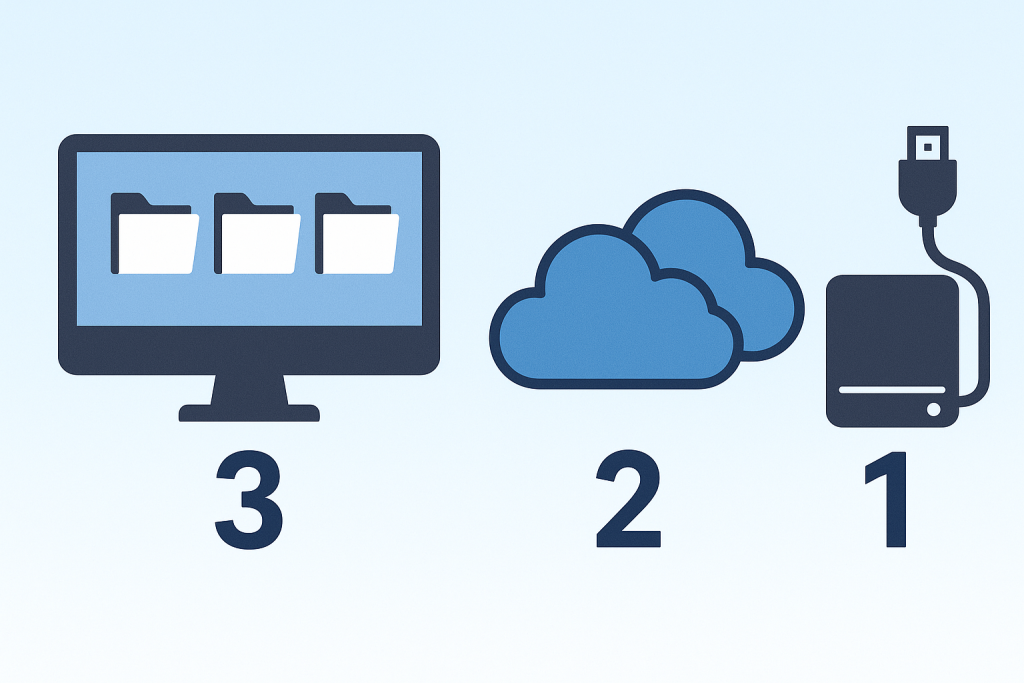
That’s the idea behind the 3-2-1 backup rule, a time-tested best practice for protecting your data.

  • Keep three copies of your data: the original and two backups.
  • Store those copies on two different types of media, such as a server and a cloud service.
  • Keep one copy offsite, completely separate from your main system or network.

This simple approach ensures that no single failure or disaster can wipe out all your information.

A small manufacturer learned this lesson firsthand when ransomware spread across their network and encrypted every local computer. Because they had been running daily cloud backups that were disconnected from their internal systems, they were back up and running within 24 hours. Their competitor, who only kept local copies, was down for nearly a month.

Backup Types: Full, Incremental, and Differential

Once you understand the 3-2-1 concept, the next question is how your backups are created. The answer depends on the method used to copy your data.

  • A full backup copies everything, all files, folders, and configurations. It’s the easiest to restore but takes the most time and space.
  • An incremental backup copies only the data that has changed since the last backup. It’s fast and efficient but depends on a chain of previous backups to restore fully.
  • A differential backup saves everything that’s changed since the last full backup. It takes more space than incremental backups but restores faster.

Most businesses use a combination of these methods. A full backup runs weekly, and incremental backups run every few hours or overnight. This balance keeps recovery quick and efficient without wasting storage space.

RTO and RPO: Defining Your Tolerance for Downtime and Data Loss

Creating backups is only part of the equation. What really matters is how quickly you can restore them and how much data you can afford to lose.

Two key concepts define those limits: RTO (Recovery Time Objective) and RPO (Recovery Point Objective).

  • RTO defines how long your business can be offline before operations are seriously impacted.
  • RPO defines how much data you can afford to lose, measured by time between backups.

These numbers aren’t technical settings; they’re business decisions. If your accounting software goes down on payroll day, can you afford to wait eight hours for it to come back online? If all orders from the last three hours disappear, how long would it take to rebuild them?

A short RTO might mean you need fast local backups and spare hardware. A short RPO means your data must be backed up frequently, possibly every few minutes for critical systems.

RTO and RPO work together like seatbelts and airbags. One limits the impact of an accident; the other limits the loss. Both are essential.

Encryption and Retention: Protecting What You Store

Once your data is being backed up regularly, the next step is to make sure it’s protected. Backups are valuable, but without proper safeguards, they can become a liability.

Encryption ensures that even if someone gains access to your backups, your data remains unreadable without the correct key. It’s a simple but critical layer of protection, especially when backups are stored offsite or in the cloud.

Retention policies determine how long backups are kept before being replaced or deleted. For example:

  • Daily backups kept for 30 days
  • Weekly backups kept for three months
  • Monthly backups kept for one year or longer

Retention policies help manage storage and compliance. Some industries, such as healthcare or defense manufacturing, require multi-year retention under regulations like HIPAA or ITAR.

The right policy keeps data available for as long as it’s needed while controlling costs and maintaining privacy.

Immutable and Air-Gapped Backups: The Modern Shield Against Ransomware

As ransomware and insider threats have evolved, so has the need for stronger protection. Attackers today often target backup data first, knowing it’s a company’s lifeline after an incident.

That’s where immutable and air-gapped backups come in.

  • An immutable backup cannot be changed or deleted for a defined period, even by administrators. This prevents anyone, including malware, from modifying or destroying your data.
  • An air-gapped backup is isolated from your network, either physically or logically. It’s like storing your most valuable items in a safe that isn’t connected to the rest of the building.

During the recent rise in ransomware attacks, companies with immutable storage were able to restore operations quickly, while others were left paying ransoms or rebuilding from scratch.

Local, Cloud, and Hybrid Backups: Choosing the Right Location

After deciding how to back up and secure your data, the next step is choosing where it should live.

  • Local backups provide the fastest recovery and are ideal for day-to-day incidents like accidental deletions or single system failures. The downside is that they’re vulnerable to theft, fire, and ransomware.
  • Cloud backups add offsite protection and geographic redundancy. They’re perfect for long-term storage and disaster recovery but depend on your internet connection to restore.
  • Hybrid backups combine the best of both. A local copy provides speed, while a cloud copy guarantees resilience.

This model has become the standard for most modern businesses. One dental practice discovered this firsthand when a power surge damaged their server overnight. A local backup restored their systems before patients arrived the next morning, while their cloud backup ensured years of records remained safe and intact.

Whether you have 5 employees or 500, Defense in Depth gives you peace of mind knowing that your data, systems, and people are protected at every level.

At OmniTech, our mission is to make enterprise-grade cybersecurity accessible to small and mid-sized businesses, by combining layered defenses, proven tools, and proactive management into a single, comprehensive approach.

Monitoring and Testing: The Step Most Businesses Skip

Having backups is one thing. Knowing they actually work is another.

Backup systems should be monitored just like any other critical process. Alerts should trigger when backups fail, storage fills up, or recovery jobs take too long.

Just as important is testing. A backup that hasn’t been tested is an assumption, not a plan. Regular restore drills, even partial ones, verify that your data can actually be recovered within your defined RTO.

You wouldn’t trust a fire alarm that’s never been tested. The same logic applies here.

Common Mistakes That Put Businesses at Risk

Even well-meaning businesses fall into the same traps:

  • Relying on file sync tools like OneDrive or Dropbox as backups
  • Storing backups on the same server or network as production data
  • Never testing restores until after a failure occurs
  • Ignoring laptops, mobile devices, or SaaS platforms like Microsoft 365
  • Deleting old backups before confirming that new ones are working

Avoiding these mistakes turns a backup plan into a recovery strategy, one that’s proven, reliable, and ready when needed.

Final Thoughts

Backups aren’t just about storing data. They’re about protecting your ability to operate when things go wrong. A strong backup strategy combines multiple layers of protection: redundancy through 3-2-1 backups, fast recovery through well-defined RTO and RPO goals, security through encryption and immutability, and confidence through regular testing. Just like defense in depth in cybersecurity, layered protection is what keeps your business resilient.

Your data is the foundation of your business. Protect it like it is.

Ready to Evaluate Your Backup Strategy?

If you’re not sure your current backups would hold up in a real-world disaster, we can help.

Scroll to Top